Have you ever tried to view someone’s Instagram profile picture only to find that Instagram shows it in a tiny circle? Whether it’s your own profile photo, a friend’s picture, or a public account’s display image, Instagram does not provide a direct option to view or download profile pictures in full size.
That’s where the Exist Downloader Instagram DP Downloader helps. We have other tools such as an Instagram Stories downloader.
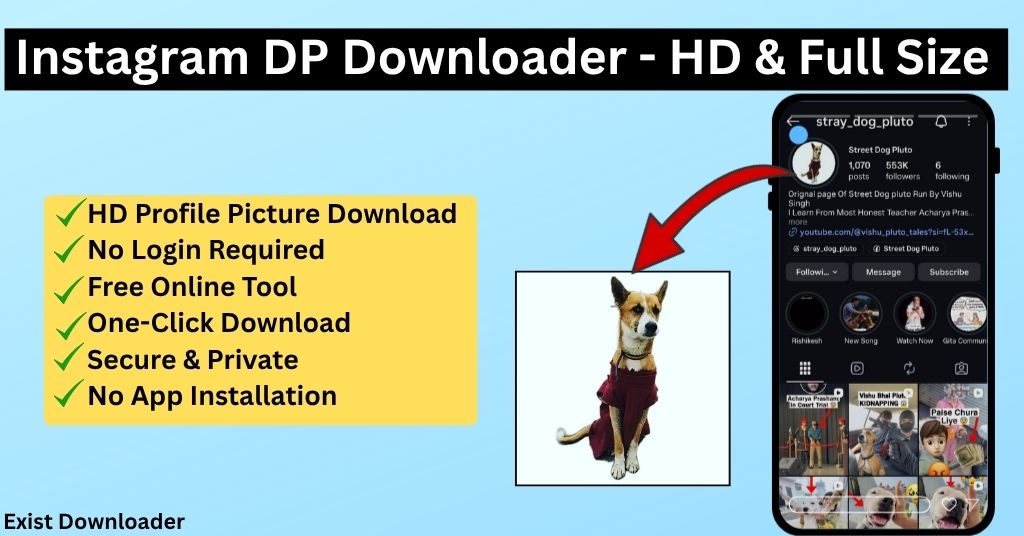
Our free Instagram Profile Picture Downloader allows you to view and download Instagram profile pictures in HD and full size within seconds. No app installation, no registration, and no complicated steps. Just enter the Instagram username and download the profile photo instantly.
What Is an Instagram DP Downloader?
An Instagram DP Downloader is an online tool that lets you view and save Instagram profile pictures in higher quality than what is displayed on the app.
Instagram DP are often shown in a small circular format, making it difficult to see details clearly. With a profile picture downloader, you can access the larger version of a public Instagram account’s profile image and save it to your device.
How to Download Instagram Profile Pictures Using Exist Downloader
Using our Instagram Profile Picture Downloader is simple.
Step 1: Open Instagram and find the profile whose picture you want to view or download.
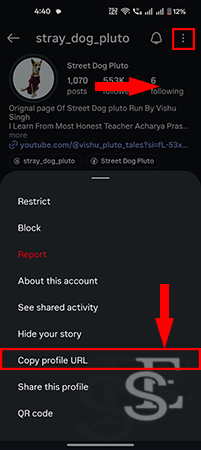
Step 2: Now click on the profile button, click on the 3 dots and then tap on the copy profile URL to copy the link.
Step 3: Now open the Instagram DP downloader tool and paste the copied link and click on the Get download links button.
Step 4: The tool will fetch the available profile picture and provide you with the Instagram HD image.
Step 5: Tap, and your download will start.
How to use Instagram DP downloader on computer
Step 1: In any internet browser, open instagram website and login to your account
Step 2: Now search for the profile of which, you want to downoad the display picture
Step 3: Now click on the address bar to and copy the profile link
Step 4: Open the Instagram profile picture viewer and paste the copied link and click on the download button
Step 5: After fetching details, your can save the dp in your computer.
Frequently Asked Questions
1. What is an Instagram DP?
Instagram DP stands for Instagram Display Picture or Profile Picture. It is the image shown on an Instagram user’s profile.
2. Can I download Instagram profile pictures in full size?
Yes. With an Instagram DP Downloader, you can view and download profile pictures in larger size and better quality.
3. Is the Instagram DP Downloader free?
Yes. Exist Downloader provides free access to the Instagram Profile Picture Downloader.
4. Do I need an Instagram account to download a profile picture?
No. You can download publicly available profile pictures without logging into Instagram.
5. Will Instagram notify users when I download their profile picture?
No. Instagram does not send notifications when someone views or downloads a publicly accessible profile picture using online tools.
6. Can I download profile pictures from private Instagram accounts?
Private account content is protected by Instagram’s privacy settings. The tool is intended for publicly available profile pictures.
Supports The Most Popular Sources
You can check the regularly updated supported sources list.