Download all photos & videos from a carousel post
Want to download all the photos and videos from an Instagram carousel? Our Instagram Carousel Downloader makes it easy. Just copy the Instagram carousel link, paste it into Exist Downloader, and you’ll get every image and video from the post with separate download buttons.
Whether it’s a travel album, product showcase, tutorial, or photo dump, you can save every file in a few seconds. The tool works on both desktop and mobile, and there’s no need to install any app.
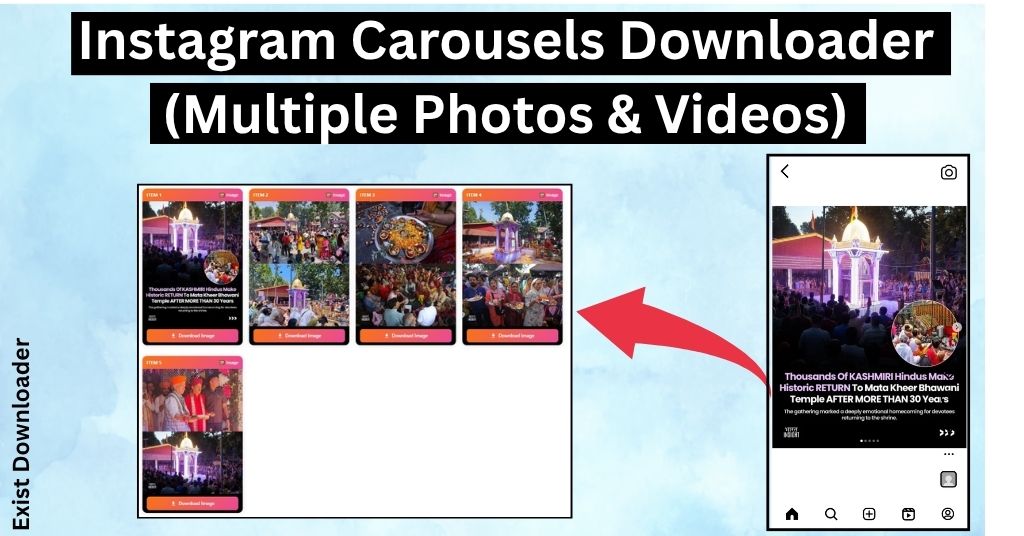
What is an Instagram Carousel?
An Instagram carousel is a single post that contains multiple photos, multiple videos, or a mix of both. Instead of creating separate posts, Instagram lets users add several media files into one swipeable post.
With Exist Downloader, you don’t have to save each item manually. Simply paste the carousel link, and we’ll fetch all the available photos and videos for you.
Want to copy captions and hashtags? Use the Instagram Caption Copy Tool to copy Instagram captions with one click.
How to Download Instagram Carousel on a Computer
Downloading Instagram carousel posts on a computer only takes a minute.
Step 1: Go to the Instagram website and log in to your account with your login details.
Step 2: Open the carousel post that you want to download and click on the address bar, and copy the URL of the post.
Step 3: Now open the Instagram Carousel Downloader by Exist Downloader and paste the copied link into the input box.

Step 4: Click on Get Carousel Links button and our tool will process the link and fetch every image and video available in that carousel.
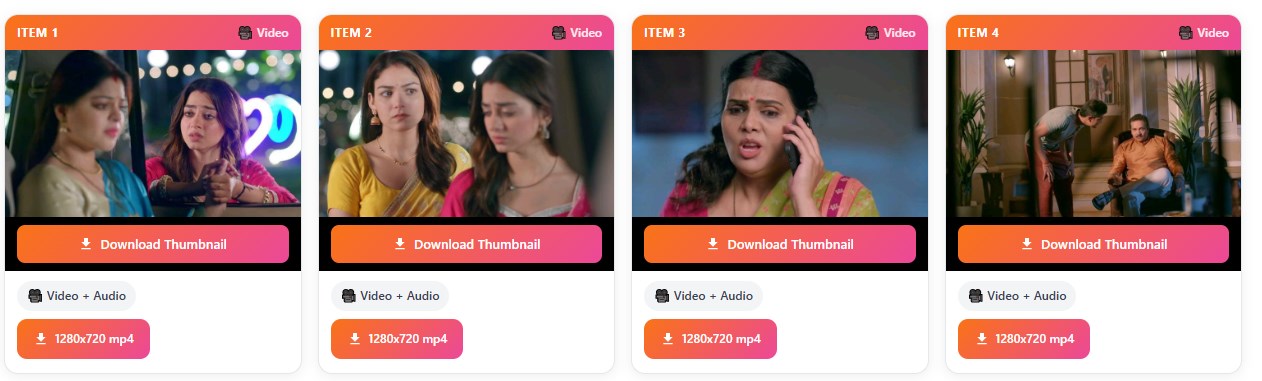
Step 5: Once the results appear, click the Download button below each photo or video to save it to your computer.
How to Download Instagram Carousel on Mobile
Using the tool on your phone is just as simple.
Step 1: Open Instagram and find the carousel post you want to download.
Step 2: Tap the Share button below the post and select Copy Link.
Step 3: Open your mobile browser and open the Download Instagram Carousels in HD Tool.
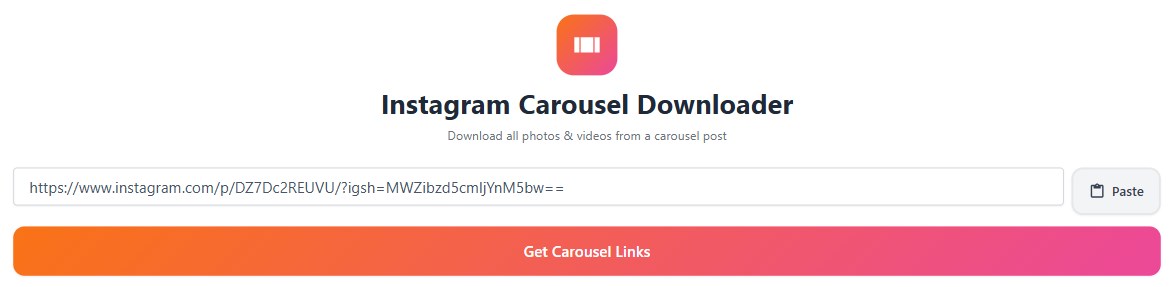
Step 4: Paste the copied link into the input field and tap on Get Carousel Links button.
Step 5: The tool will fetch all the photos and videos from the post.
Step 6: Tap the Download button below each image or video to save it to your phone.
Features of the Download Instagram Carousel tool
- No registration required
- No software to install
- Download all photos and videos from an Instagram carousel in 1080p, 2k and 4k
Frequently Asked Questions
1. How do I save a carousel on Instagram?
Saving in mobile and computer the caousel is very easy. You need to copy the link of the post and paste it into the input box of exit downloader carousel tool. Now click on the Get Carousel Links button and you will get the save button.
2. Can I download carousel videos too?
Yes. Videos inside the carousel are also detected and made available for download.
3. Does it work with mixed photo and video posts?
Absolutely. If a carousel contains both photos and videos, you’ll get download options for each item.
4. Is this Exist downloader Carousel downloader tool free?
Yes. You can use the Instagram Carousel Downloader by Exist Downloader for free.
Supports The Most Popular Sources
You can check the regularly updated supported sources list.