Instagram stories disappear after 24 hours, but many users want to save their favourite stories, memorable moments, travel updates, tutorials, and highlights for offline viewing. An Instagram Story and Highlights Downloader makes this possible by allowing you to download public Instagram stories and highlights directly to your device in just a few clicks.
Previously, we have posted a detailed tutorial on how to download Instagram Reels Videos, then check our tool
Whether you want to save your own content, keep a backup of important stories, or download public highlights for later viewing, an online Instagram downloader provides a fast and convenient solution.
What Is an Instagram Story and Highlights Downloader?
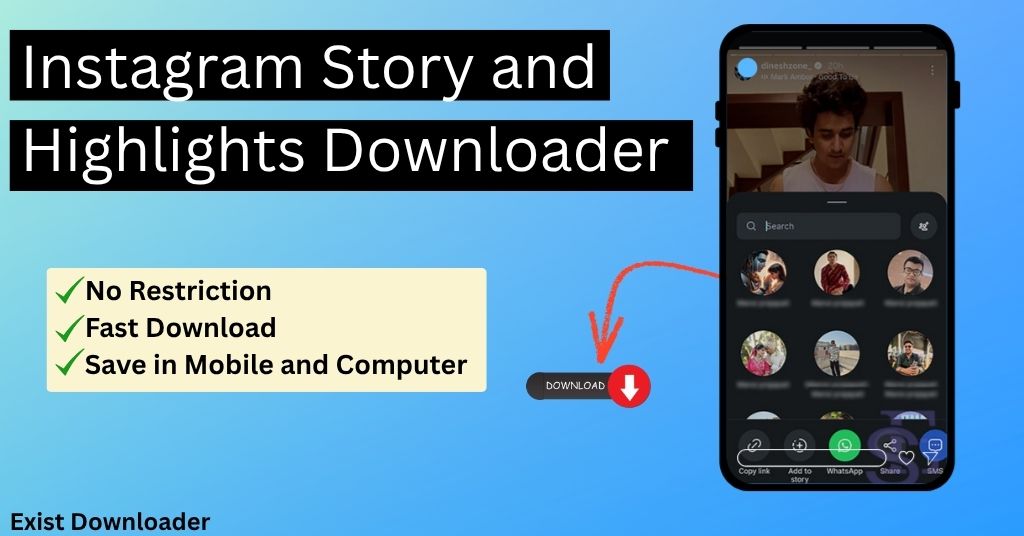
Exist Downloader Instagram Story and Highlights Downloader is an online tool that helps users download public Instagram stories and highlights without installing additional software. Enter the Instagram username or profile URL, and the downloader fetches available public stories and highlights for viewing and downloading.
The process is quick, secure, and works across mobile devices, tablets, and desktop computers.
How to Download Instagram Stories Online using Exist Downloader
Downloading Instagram stories is simple and requires only a few steps:
Step 1: Open the Instagram app or login to your account in your computer browser and find the public profile whose stories you want to download.
Step 2 : Tap on the profile picture to view the story and then click on the share button.
Step 3 : Tap on the share button and then tap on the copy link icon to copy the story URL
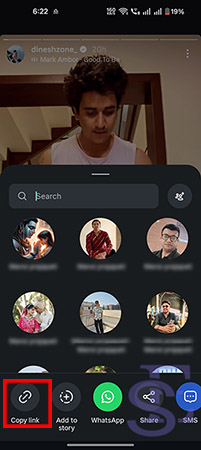
Step 4 : Now open the Instagram story downloader online tool and paste the link, and click on the download button.
Step 5 : Tap on the quality button in which you want to save, and you are done.
If you want to copy the Instagram caption as
How to Download Instagram Highlights on mobile and computer
Instagram Highlights are collections of stories that remain permanently visible on a profile and the method is described below.
Step 1: Open Instagram app or login to your account on your computer browser and find the public profile whose stories you want to download.
Step 2 : Tap on the profile picture to view the story and then click on the share button.
Step 3 : Tap on the share button and then tap on the copy link icon to copy the story URL.
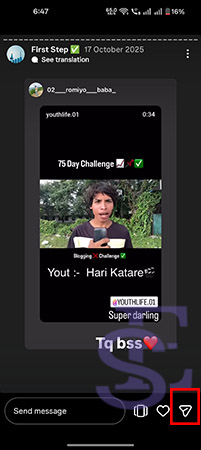
Step 4 : Now open the Instagram story downloader online tool and paste the link and click on the download button.
Step 5 : Tap on the quality button in which you want to save, and you are done.
Want the caption too? Just paste the Instagram post link into our Instagram Caption Copy Tool and copy the full caption in seconds.
Why Use an Instagram Story Downloader?
Instagram stories are designed to disappear after 24 hours. If you don’t save them in time, they may no longer be accessible.
Using an Instagram Story Downloader allows you to:
- Save stories before they expire
- Watch stories offline
- Keep personal backups
- Download educational or informative content
- Store travel memories and special moments
- Access content without repeatedly searching for it
Is It Safe to Use an Instagram Story and Highlights Downloader?
Our Instagram downloader is safe to use because they do not require login credentials.
- Use trusted downloader tools
- Avoid entering your Instagram password
- Download only publicly available content
- Respect copyright and creator rights
Always use downloaded content responsibly and in accordance with Instagram’s policies.
Frequently Asked Questions
1. How can I download Instagram stories online?
You can download Instagram stories by copying a public Instagram username, pasting it into an Instagram Story Downloader, and clicking the download button to save the available stories.
2. Can I download Instagram highlights?
Yes. An Instagram Highlights Downloader by Exist Downloader allows you to download public Instagram highlights directly to your device without installing any software.
3. Is an Instagram Story Downloader free?
Yes, it is totally free to use and you can use it without any restrictions.
4. Can I download Instagram stories anonymously?
YEs, you can download it and the user won’t find that you have saved it but your account will be count as you have viewed the story.
5. Do I need an Instagram account to download stories?
Yes, as you need to copy the link of the story to download. You can use any other person’s account to copy the link if you want to be anonymous.
Final Thoughts
Exist Downloader Instagram Story and Highlights Downloader provides a simple way to save public stories and highlights in high quality. If you are facing any problem while saving from the tool then do check if the account is public as our tool will not work on the personal account due to privacy concern
Supports The Most Popular Sources
You can check the regularly updated supported sources list.